 Stop being confused about accessibility.
When WCAG standards change, are graphic and web designers suddenly liable? Could past work be noncompliant? Learn how to protect yourself.
Music: https://www.bensound.com
I am excited about this being the 200th episode! I started all this back in 2018, talking about design and creative business issues, and just hoping designers would want to hear what I had to say.
I faced a huge fear of putting myself out there. I was terrified of being criticized. But my desire to help designers was greater than my fear, so I did it.
I wasn’t talking about accessibility much at first, because most designers weren’t interested in hearing about it.
But it was nice to see that when I did start talking about it and after I came out with my courses, more designers became interested in it, and some even credited me with bringing it to their attention.
So I am happy to be talking about it more and have been making it more of the focus of what I talk about.
If you’ve been following the past few episodes, you know that I’ve been answering questions I’ve gotten from designers and other types of accessibility specialists related to the business side of accessibility.
Today we’re diving into WCAG updates and legal liability: what designers need to know.
Disclaimer: I am not a lawyer, and I do not play one on the podcast. So always consult a lawyer well versed in accessibility laws about your contracts and specific situation.
So what keeps you from being liable when accessibility guidelines change? I hope to allay any fears you may have about this.
I know that some designers decide to not get into accessibility because they are afraid of the legal risk.
Also, some designers worry about legal risk with accessibility compliance. They wonder: Are you suddenly liable when the WCAG guidelines change?
By the way, I really shouldn’t say “WCAG guidelines,” because it’s redundant since WCAG stands for “Web Content Accessibility Guidelines.” But it feels strange sometimes to just say “WCAG,” depending on how it’s used. So if you hear me say “WCAG guidelines,” now you know why.
So let’s talk about this for a minute…
A lot of designers think the accessibility guidelines are always changing.
I think they think this is the case because of all the confusion with laws over the past nine years surrounding what accessibility applies to. But the accessibility laws are not the same as the guidelines. And that distinction really matters here.
How WCAG Relates to Accessibility Laws
Laws vary worldwide by country and even by state. The laws usually specify a version of WCAG that a business or government entity needs to adhere to in order to be in compliance with that law.
Compliance is not the same as conformance, by the way. I talked about this in episode 182, Accessibility Compliance versus Conformance. If you haven’t listened to that one, it will be very helpful for context.
Accessibility laws state how a business or government entity complies with that law as a whole, while accessibility guidelines provide guidance on how a website, document, etc. conforms.
The generally accepted accessibility guidelines, known as WCAG, do not change often. In fact, it’s just the opposite.
WCAG 1.0 was published in 1999.
WCAG 2.0 was published nine years later, in 2008.
WCAG 2.1 was published 10 years later, in 2018, with updates published in September 2023, December 2024 and May 2025—all several years later.
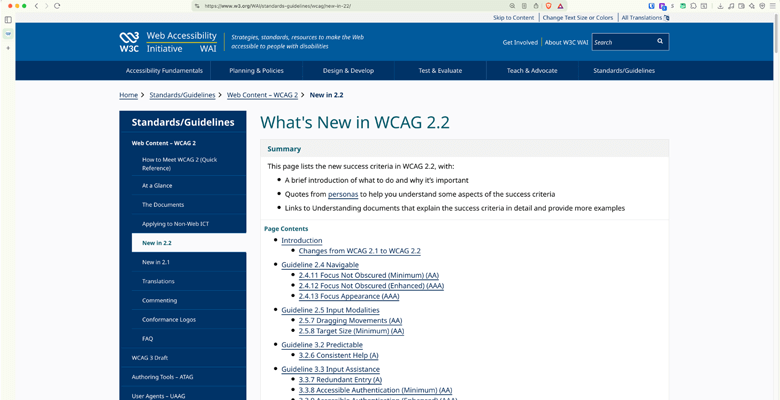
WCAG 2.2, the current standard, was published in October 2023, with an update in December 2024.
So, you can see, there have been only four full versions of WCAG in the past 27 years! That’s not exactly constant change.
Are Graphic Designers Liable When WCAG Standards Change?
Now that doesn’t answer the question yet of: What happens if WCAG standards change after you deliver a project? Are you liable, as the designer when the WCAG guidelines change?
The answer to this question depends on what is in your contract, your work agreement or scope of work.
I hope you are not promising compliance of any kind. And if you are, you might want to revisit that. So, again, be sure to check out Accessibility Compliance versus Conformance.
You don’t want to be putting yourself on the hook for anything more than the work you are doing.
Your liability has to do with what you promise to a client. That’s really what it comes down to.
How Designers Can Protect Themselves When WCAG or Accessibility Standards Change
So how can you protect yourself when accessibility standards change over time?
None of us has a crystal ball (sometimes I wish we did!). But we should not be held responsible for things that happen in the future that we have no control over, right?
Home builders can’t possibly future-proof their work for when the electrical or plumbing codes change. It’s the same thing.
You can only design, build or remediate to the standard that the client is requiring at that moment in time. That’s your lane.
You need to first find out what accessibility standard is required for that particular project, such as WCAG 2.1 AA, WCAG 2.2 AA, PDF/UA, etc.
Find out if there are any other requirements, any internal requirements they have for accessibility. For instance, they might say they have to abide by Section 508 (a federal law) as well as a state-specific law.
Ask if they have any particular testing requirements, such as testing with a certain version of NVDA. You should always perform all necessary methods of PDF accessibility testing or website accessibility testing. But if the client has a specific requirement, you can make sure you test that way as well.
Then, in your contracts for accessibility work, include all of this information. You want to be sure to put it in writing, so it’s clear to both parties. Clear expectations protect everyone. You know what you are being held to, and the client understands what they should expect to get from you.
And when the WCAG standards do change, take that as an opportunity to reach out to clients—new ones, past ones and existing ones. Let them know the accessibility guidelines have been updated and how you can help them with that. That positions you as an expert and it means more work for you.