 Stop being confused about accessibility.
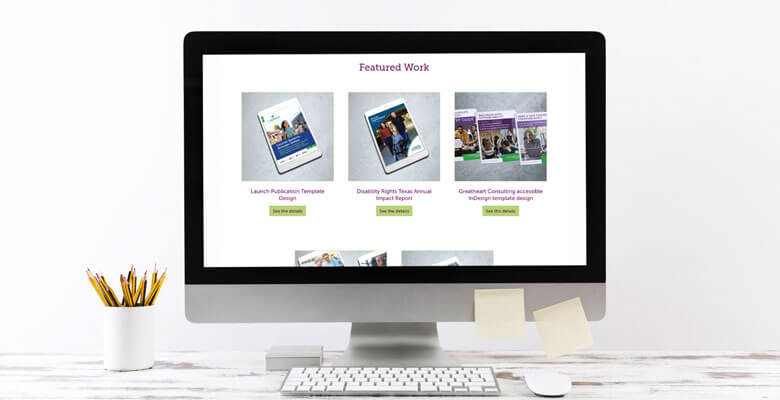
Wondering how to show accessibility work in your portfolio, especially if you didn’t design the project? Find out how to present your accessible design, PDF remediation, website audits and collaborative work clearly and professionally.
Music: https://www.bensound.com
Hi, and thanks for tuning in. I’m Colleen Gratzer, and in this episode of Design Domination, I’m answering a question I get quite often from designers and others who do accessibility work.
How Designers and Accessibility Specialists Should Show Accessibility Work in a Portfolio
How do you show accessibility work in your portfolio, especially if you didn’t design the original project?
This is a great question, and I have a lot to say about this.
I’m going to break down how graphic designers and accessibility specialists can present accessibility work clearly and confidently, whether:
-
you designed something accessibly from the start,
-
you collaborated with another designer or agency and they did the creative work, or
-
you remediated an existing PDF or website and didn’t do any creative work.
I am going to give you practical, real-world ways to present accessibility work in your portfolio, so potential clients can clearly understand what you did, how you did it and the impact of your accessibility work—all without getting lost in overly technical details.
You’ll learn what to show in each situation and what to say.
How to Show Accessible Design Work in Your Portfolio as a Designer
First let’s talk about when you are tasked with designing something accessibly from the start.
This situation is much more cut and dry. You can show the design work just as you would any other design work in your portfolio.
But because you also did accessibility work as part of that, you also want to talk about what you did.
To give you an idea of what I mean, I’ll talk about what I do.
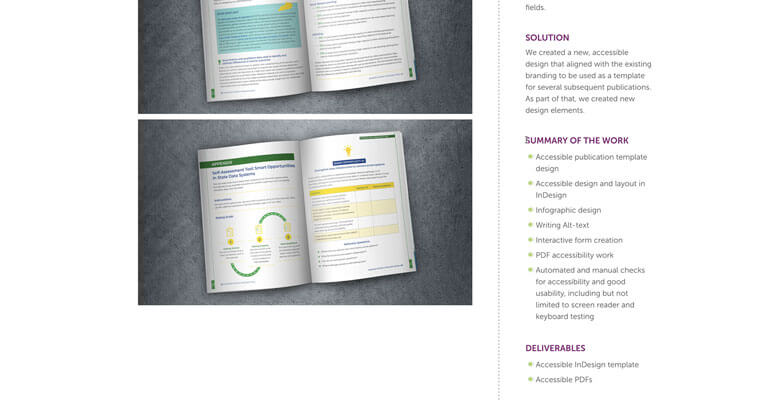
In my online portfolio, for all of my projects, I have a section called Summary of the Work, where I list the high-level tasks.
For an accessible document I recently designed and laid out, in that section, I listed out:
- Accessible publication template design (because it was a template I created)
- Accessible design and layout in InDesign
- Infographic design
- Writing Alt-text
- Interactive form creation
- PDF accessibility work
- Automated and manual checks for accessibility and good usability, including but not limited to screen reader and keyboard testing
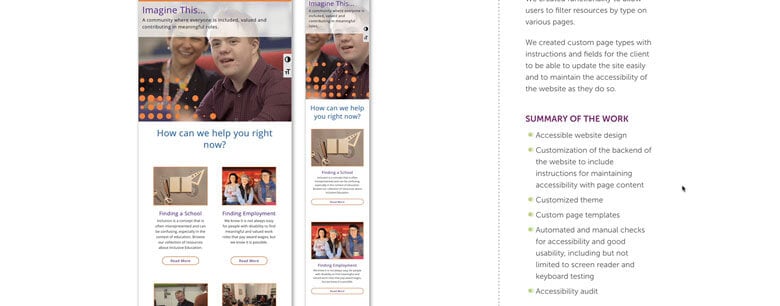
For an accessible website I designed and coded, I listed:
- Accessible website design
- Customization of the backend of the website to include instructions for maintaining accessibility with page content
- Customized theme
- Custom page templates
- Automated and manual checks for accessibility and good usability, including but not limited to screen reader and keyboard testing
- Accessibility audit
So that gives you an idea of how I do it. I don’t mind if you do something similar, but modify it and make it your own to what makes sense for you. You could call this section Project Details, Scope of Work, etc.
You want to list out the different aspects of the projects for potential clients to see what you did. If they have a similar project, it will demonstrate to them that you are capable of handling it.
So when they look at your portfolio, they’re thinking, ok, they’ve done accessible design, check. They’ve done accessible layout in InDesign, check. They can customize the backend of our website, and so forth.
It’s probably not necessary to get into the weeds with this and get all technical or, for documents, to show passing Acrobat or PAC reports or screenshots of the Tags or Order pane.
You could potentially link to the downloadable PDF, but you need to consider a few things first because it’s not your content to give out. Your client may not want to have that made freely available, like if the document is a free guide that they use as a lead magnet (an opt-in), for example, or if it’s a digital product they charge for.
If it’s a document that is posted on their website for people to access freely, then you could link to their site to where they have it. They might really appreciate that too.
But I would ask the client before making the document available for download from your website, as opposed to linking to it on their website. They probably wouldn’t want other people to encounter the PDF in search results and be taken to your website instead of theirs.
For a website you designed though, it’s typical to link to the website.
How to Show Accessibility Work in Your Portfolio When You’re Not the Designer
OK, now, as I mentioned, another situation is when you are not the designer but you do all the accessibility work.
I’ve been in this situation often with both accessible documents and websites.
I’ve had other designers, creative agencies, government agencies and large corporations send me InDesign files that I need to make as accessible as InDesign allows and then provide an accessible PDF.
I’ve had other designers provide me a website design that they wanted me to code.
I have only shown one of these projects on my website, because I have the accessibility work with design to show, and so I show that instead, because it serves two purposes.
But if you aren’t the designer and you’re doing only the accessibility work, then here’s what I would do…
I would ask whoever your client is, whether that’s the designer, the creative agency, a government agency—whoever you’ve contracted with—if you can show the work in your online portfolio. I would also tell them that you would provide the appropriate credit for design and that you’d be specifying what work you did.
I did this for a website where a colleague of mine designed the branding and then I designed and coded the website based off that.
She told me it was fine to show that work in my portfolio as long as I provided a branding credit and a link back to her site.
I think most designers and creative agencies (the ones who aren’t the end clients) will be fine with this, unless there is a confidentiality clause in your agreement where they don’t want it even known that you worked on the project with them. It would be very awkward if their client came across the work on your website and they didn’t know who you were.
So then if you are allowed to show the work and state what you were responsible for, you can talk about it the way I mentioned earlier, but just with the added credit for the designer and any other requirements from them.
How to Show Accessibility Remediation Work in Your Portfolio
OK, the next situation is very different—when you’ve remediated a file or website that you didn’t design.
The accessibility work—other than the visual accessibility, the design—isn’t obvious. Most of it is “behind the scenes” or “under the hood.” So how do you show this work to potential clients?
Again, I haven’t shown this work on my website, because I have enough accessibility with design work to show. But what I would do is all of what I said in the previous section:
- ask permission to show the work,
- give credit where it’s due,
- specify what your role was (“remediator,” for instance) and what work you did (“made the PDF/website accessible”).
Then I would probably show a few before-and-after screenshots of some of the pages.
PDF Remediation Work
For example, for a PDF, I would open it in Acrobat and take a screenshot of a page with incorrect tags or architectural reading order and then another screenshot of those same areas after you’ve remediated the document. So you could actually show that the tags or architectural reading order was incorrect and that you fixed it.
You could even potentially post a screen recording showing an incorrect and then corrected tab order.
I think in this situation it would also be a great idea to show screenshots of the Acrobat and PAC checker results before you worked on the document as well as afterward.
The Acrobat checker and PAC are automated checkers. As such, they cannot detect all accessibility issues, of course. However, those screenshots at least give a measurable way for a prospect to assess the work you did, even if they don’t know anything about accessibility (and many clients don’t).
All of these are examples of how you can show proof of your work.
Website Remediation Work
For a website, you could show screenshots of some areas of a web page that were coded incorrectly, say, headings out of order or divs being used instead of header or footer, for example.
You could show screenshots of WAVE and other automated checker results before and after remediation, for example.
Again, with websites, you could even potentially post a before-and-after screen recording showing an incorrect and corrected tab order or, say, corrected hover states.
Additional Tips for Presenting Accessibility Work in Your Portfolio
Some other tips for presenting accessibility work in your portfolio are to talk about the impact of the work you did, why it was important, which disability types are affected by the remediation work you did.
For example, if you addressed low contrast as part of your work, then you could briefly mention how fixing contrast issues made the content more accessible to sighted users in general, especially those with a visual disability.
Also, if you’re doing accessibility work, make sure your digital portfolio is accessible! Show that you practice what you preach.